
Forms that route themselves.
Build the form, then say who approves what. Every submission goes to the right reviewer and gets tracked through to done — by a person, or by AI on the steps that don't need one.
One form, one workflow. The route through it depends on the answer.
Purchase request
Anyone in the company can submit this.
Under $1,000 — AI checks it against policy and approves. Nobody's inbox.
Type a number — the route follows.
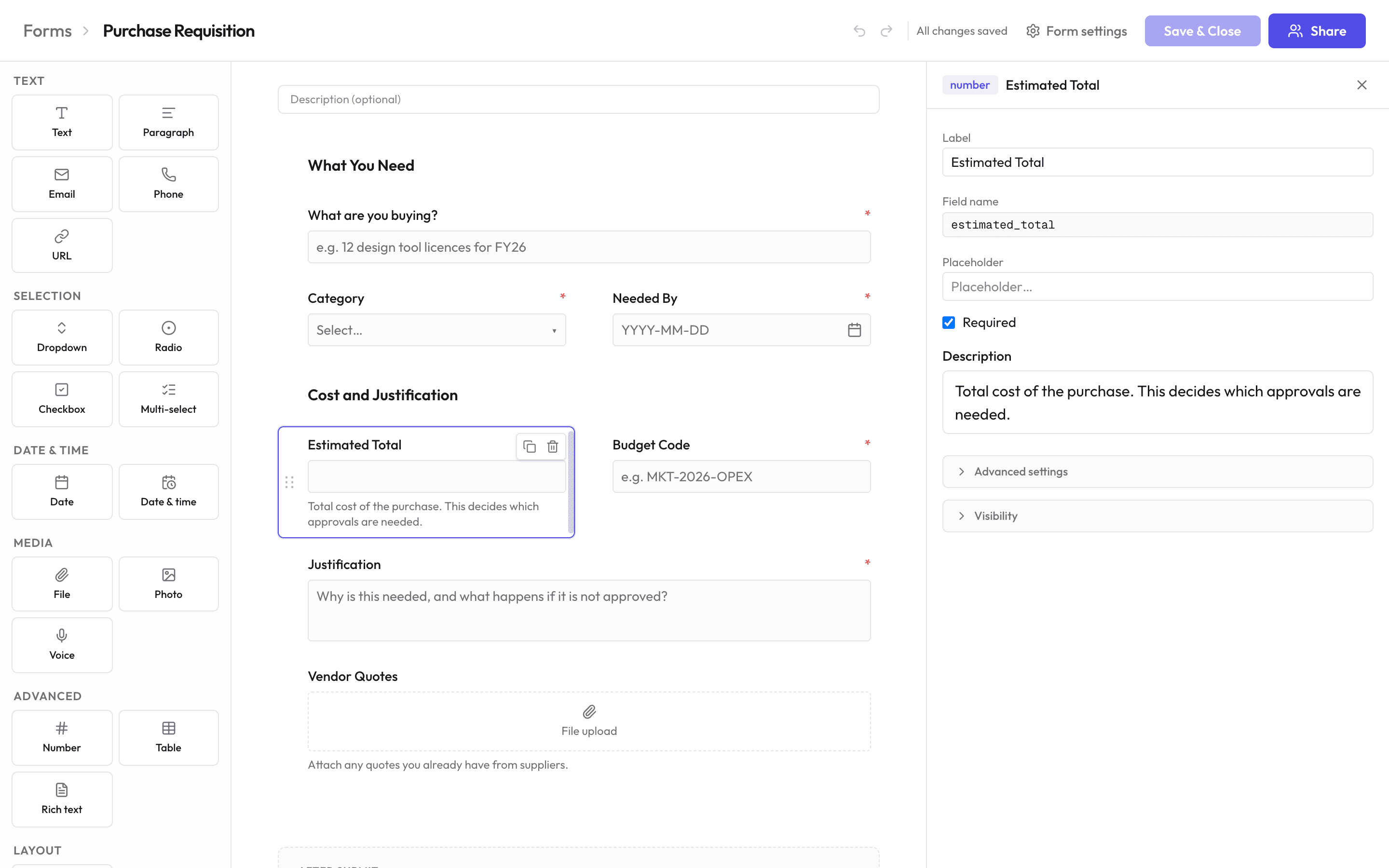
Build the form
Drag fields onto the page, set the rules, publish.
- 18 field types
- Text, numbers, dates, dropdowns, file uploads, photo and voice capture, plus repeating tables for line items.
- Show and hide questions
- Any field, or a whole section, based on what someone already filled in. No formulas to write.
- Dropdowns fed by your own data
- Options come from your tables, users, or teams, so a cost-centre list is never out of date.
- Public links, QR codes, embeds
- Share it without an account on the other end. Links can be single-use, or expire on a date you set.
What happens after submit
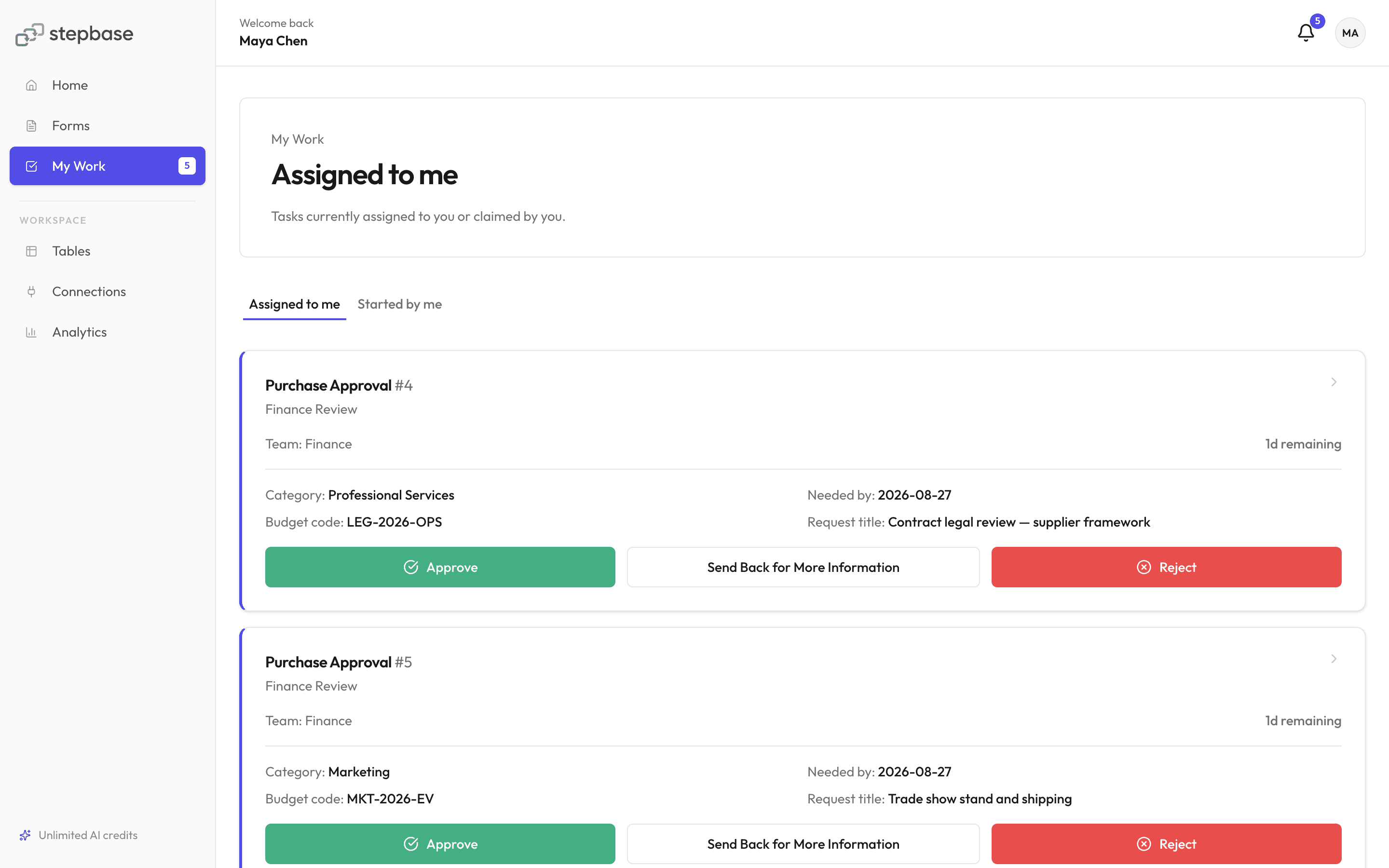
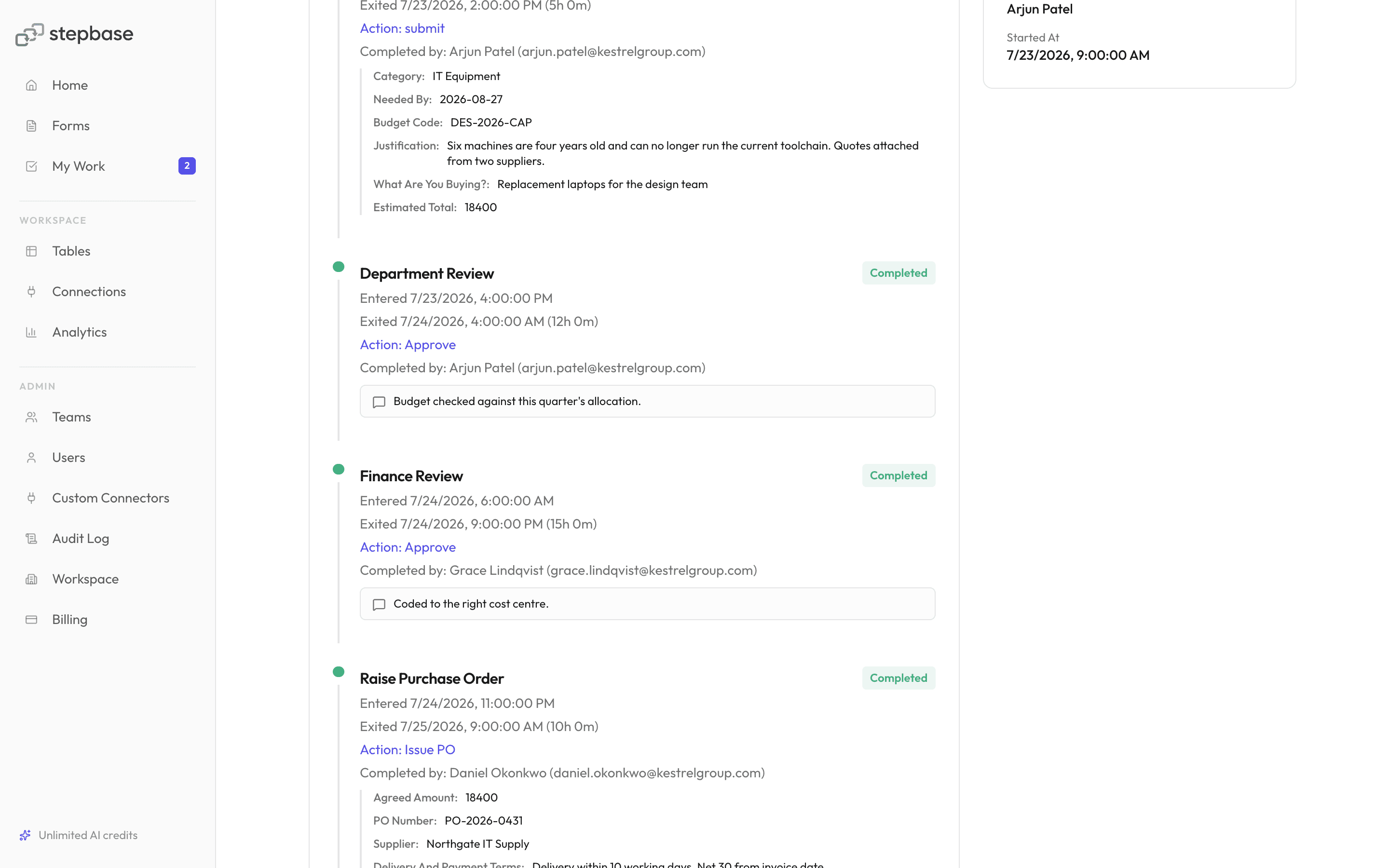
The submission opens a tracked request: routed on what was filled in, assigned to someone specific, with every decision recorded.
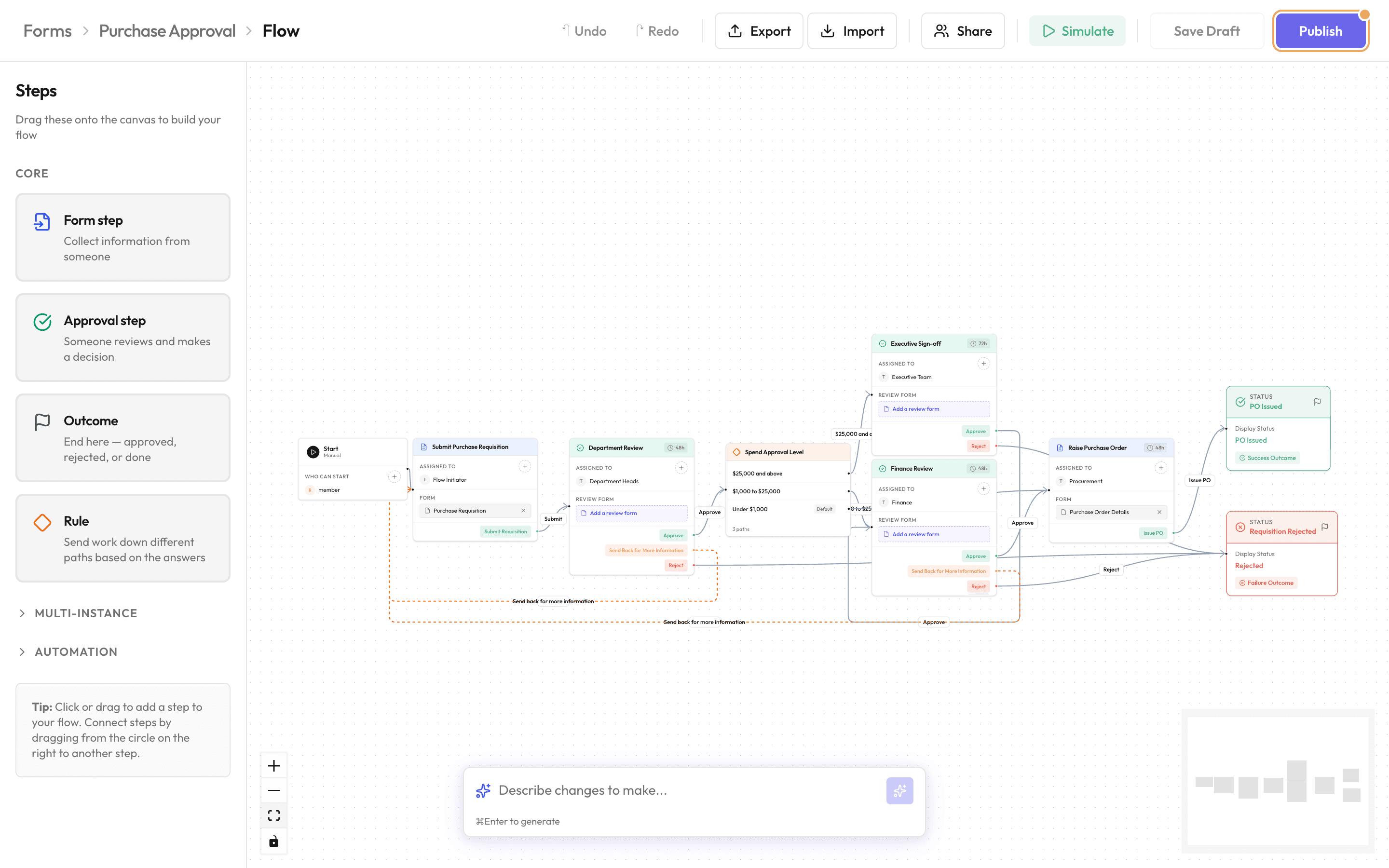
Draw the process once. Branch on the amount, the department, the risk score, whatever the form collected. People outside your workspace can take a step from an emailed link, without an account.
Some steps don't need a person
Describe the process to build it. Let AI take the routine calls.
Describe it, don't draw it
A sentence becomes stages, branches, assignees and forms.
When someone submits an expense claim, anything over $500 goes to their manager first, then finance approves it.
AI takes the step
It reads the claim, picks the action, and records why.
It hands off when unsure
Below the mark you set, a person gets it.
AI only runs where you put it
Every other step stays a person's.
Reads only the fields you pick
Nothing else in the record.
Every decision in the audit trail
Confidence, reasoning and model.
Solutions
One platform, every team process
Find it by the job you need done, or by the team that runs it.
By process
By team
HR & People Ops
Leave, onboarding, role changes and policy sign-off, tracked properly
Learn moreProcurement
Purchase requests, vendor checks and renewals, routed by spend
Learn moreCompliance
Run checks and verifications that leave a record you can defend
Learn moreGovernance
Policy exceptions, access overrides, and the approvals behind them
Learn moreEducation
Admissions, grants, and academic review that survive the season
Learn moreSecurity & governance
Move fast without losing control
Built-in controls keep every workflow auditable, isolated, and access-controlled, from day one.
AES-256 encryption
Connector credentials are encrypted at rest with AES-256-GCM.
Workspace isolation
Every workspace's data is fully isolated, end to end.
Complete audit trail
Every action is recorded: who did what, and when.
Role-based access
Granular role and permission checks gate who can do what.
Build your first form
No credit card, no setup fees. Start from a template, or from a blank page.
FAQ